
3 Essential PC Security Tools: Your Computer's Digital Bodyguards
Transform your computer into a security fortress! Discover the three must-have software applications that protect your laptop or desktop from malware, hackers, and data breaches. Complete with free and paid recommendations.
·5 min read
By Davina Leong
Your PC's Digital Armor: The Essential Security Trinity 🛡️💻
Hey tech-savvy friends! It's Davina back with another crucial security guide that could save your digital life! After helping countless people secure their mobile devices, I've been getting tons of questions about PC security. Today, we're diving into the three absolutely essential software applications every laptop and desktop needs!
Think of these as your computer's personal bodyguards—each one protecting you from different threats in our increasingly dangerous digital world! 🦾
The Security Reality Check: Why This Matters Now 🚨
Before we dive into the solutions, let's face the uncomfortable truth: your computer is under constant attack. Right now, as you read this, cybercriminals are:
- Scanning for unprotected devices to infiltrate
- Creating new malware faster than traditional defenses can keep up
- Harvesting passwords from data breaches to test on other accounts
- Monitoring network traffic on unsecured connections
- Targeting personal devices knowing they're often less protected than business systems
The good news? Three simple software installations can transform your vulnerable computer into a digital fortress! 🏰
Essential #1: Antivirus - Your Digital Immune System 🦠🛡️
Why You Absolutely Need Antivirus Protection:
Modern threats are sophisticated and relentless! Today's malware isn't just about annoying pop-ups—it's about:
- Stealing banking and credit card information
- Encrypting your files and demanding ransom
- Turning your computer into a cryptocurrency mining slave
- Recording your keystrokes to capture passwords
- Using your webcam and microphone without your knowledge
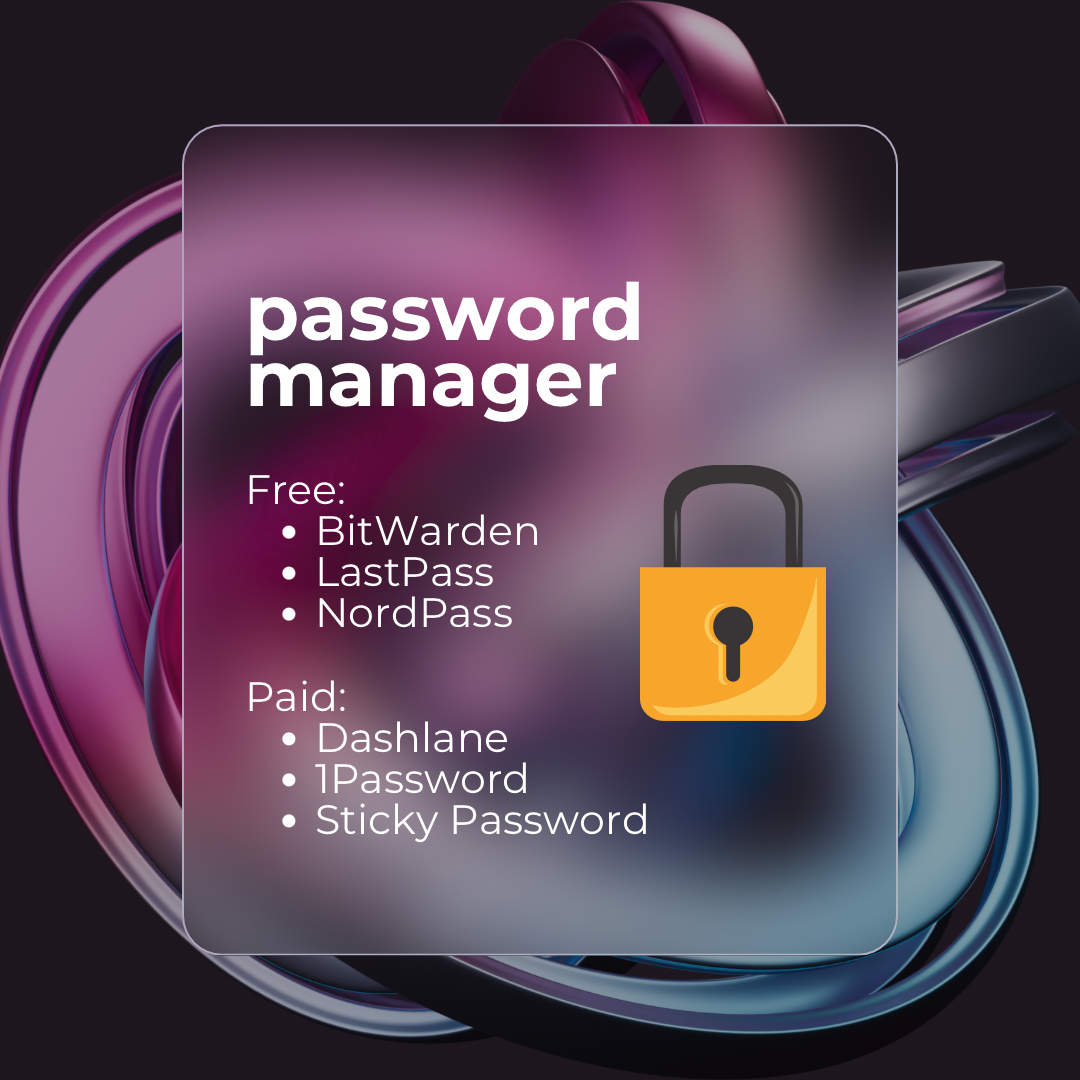
Top Antivirus Recommendations:
🆓 Free Options (Great for Basic Protection):
- AVG: User-friendly interface with solid real-time protection
- Avast: Comprehensive free features including Wi-Fi security scanning
- Avira: Lightweight with excellent malware detection rates
💰 Paid Options (Premium Protection):
- Kaspersky: Industry-leading threat detection and minimal system impact
- BitDefender: Advanced AI-powered protection with gaming mode
- Norton: Complete security suite with identity theft protection
What Quality Antivirus Does for You: ✨
Real-Time Scanning: Monitors every file and program as you use your computer
Web Protection: Blocks malicious websites before they can harm your system
Email Security: Scans attachments and links for threats
Firewall Integration: Controls what can connect to your computer
Regular Updates: Constantly learns about new threats to keep you protected
Essential #2: VPN - Your Digital Invisibility Cloak 🌐🥷
Why a VPN is Non-Negotiable in 2024:
Your internet connection is a highway to your personal data! Without a VPN, everything you do online can be:
- Intercepted by hackers on public Wi-Fi networks
- Monitored by your ISP and sold to advertisers
- Tracked by governments and malicious organizations
- Geo-blocked preventing access to content you should be able to see
- Used against you in identity theft and financial fraud
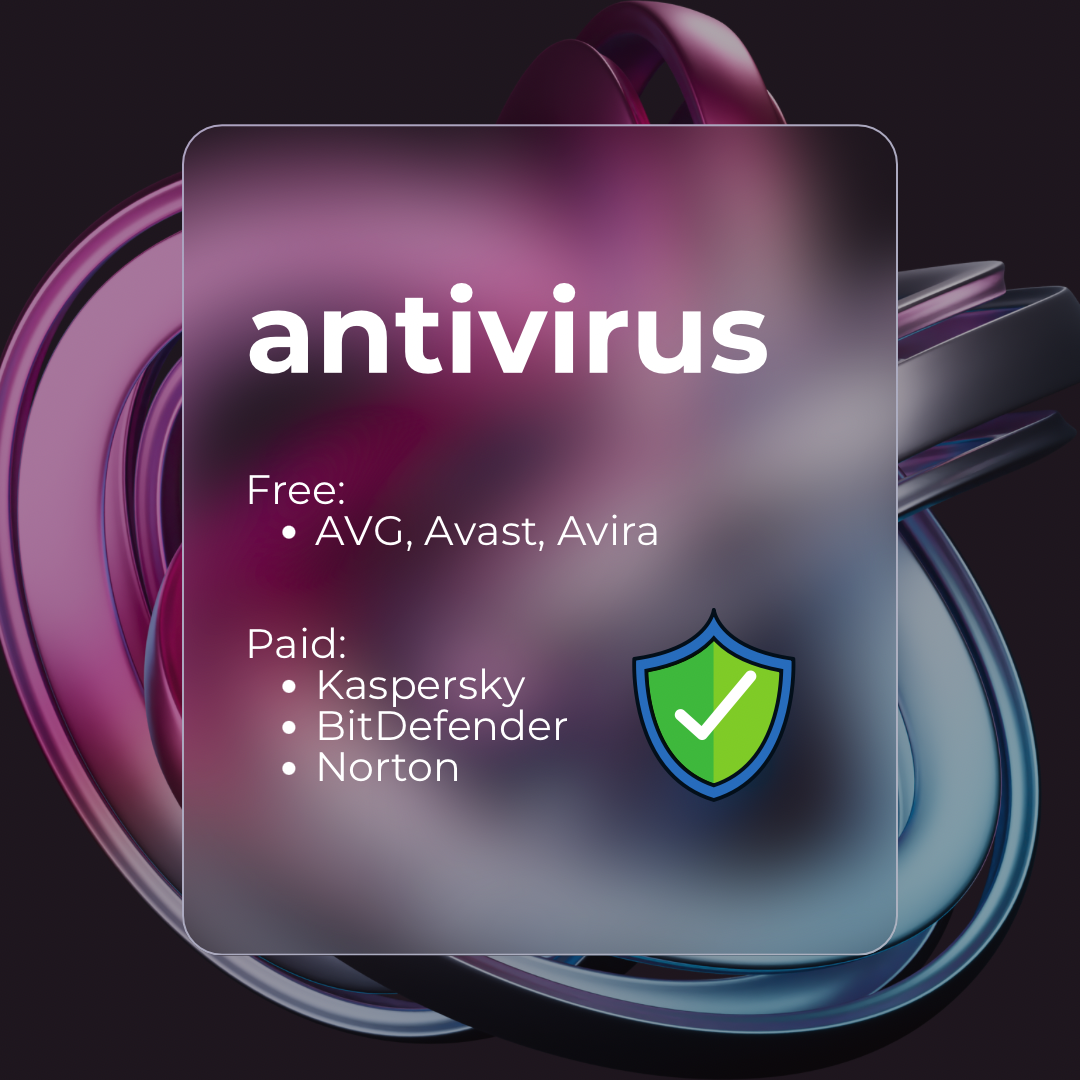
Top VPN Recommendations:
🆓 Free Options (Limited but Better than Nothing):
- PrivadoVPN: 10GB monthly data with good speed
- Proton VPN: Unlimited bandwidth with basic server selection
💰 Paid Options (Full Protection):
- ExpressVPN: Premium speed and security with global server network
- NordVPN: Advanced features including threat protection and dark web monitoring
- Surfshark: Unlimited device connections with excellent value
How VPN Protects Your Digital Life: 🔐
Data Encryption: Scrambles your internet traffic so no one can read it
IP Address Masking: Hides your real location and identity online
Public Wi-Fi Safety: Creates a secure tunnel even on dangerous networks
Geo-Restriction Bypass: Access content blocked in your region
ISP Blindness: Prevents your internet provider from monitoring your activity
Real-World Example: Without a VPN, connecting to coffee shop Wi-Fi is like having a conversation in a crowded room where everyone can hear your passwords, bank details, and private messages!
Essential #3: Password Manager - Your Digital Key Vault 🔑🏦
The Password Crisis We All Face:
Be honest: How many of your passwords are some variation of the same theme? Most people use weak, repeated passwords because human brains simply can't handle unique, strong passwords for dozens of accounts.
The terrifying reality:
- Average person has 100+ online accounts requiring passwords
- Data breaches expose millions of passwords every month
- Password reuse means one breach can compromise all your accounts
- Weak passwords can be cracked in seconds by modern computers
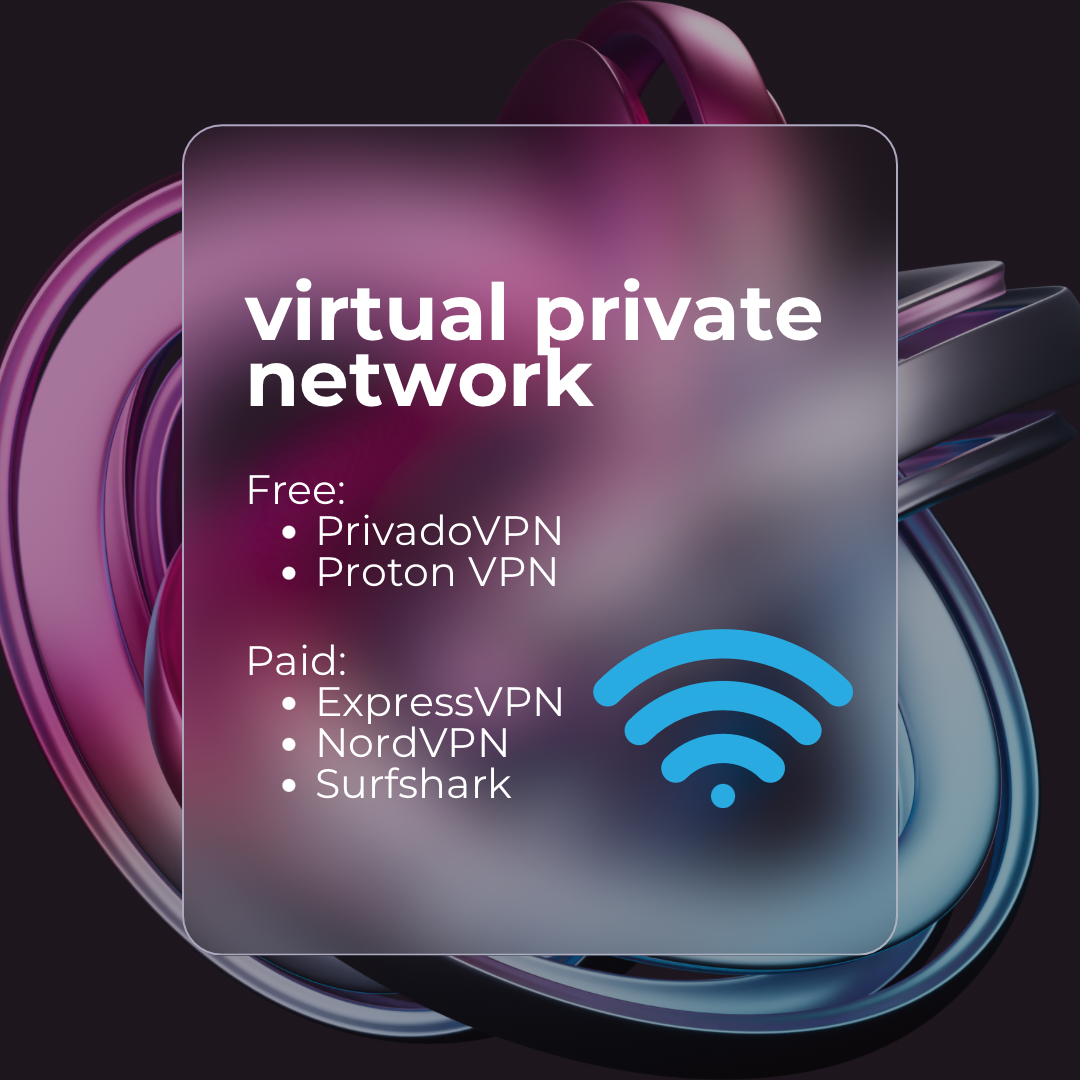
Top Password Manager Recommendations:
🆓 Free Options (Perfect for Getting Started):
- BitWarden: Open-source with unlimited password storage
- LastPass: User-friendly with basic auto-fill features
- NordPass: Clean interface with secure sharing options
💰 Paid Options (Premium Features):
- Dashlane: VPN included plus dark web monitoring
- 1Password: Excellent family sharing and business features
- Sticky Password: Lifetime purchase option with biometric login
How Password Managers Transform Your Security: 🚀
Unique Strong Passwords: Generates uncrackable passwords for every account
Automatic Login: Fills in credentials instantly and accurately
Secure Storage: Encrypted vault that only you can access
Breach Alerts: Notifies you when your passwords are compromised
Cross-Device Sync: Access your passwords on all your devices securely
The Master Password Strategy: You only need to remember ONE ultra-strong password to unlock everything else!
The Synergy Effect: Why You Need All Three 🔗💪
These aren't competing solutions—they're complementary protection layers that work together:
Attack Scenario Without Protection: 😰
- You connect to public Wi-Fi (exposed to hackers)
- Malware infects your computer through a malicious website
- The malware captures your reused password
- Criminals access your banking, email, and social media accounts
- Your identity and finances are compromised
Defense Scenario With All Three: 😎
- VPN encrypts your Wi-Fi connection (hackers can't intercept)
- Antivirus blocks the malicious website (no malware infection)
- Password manager uses unique passwords (one compromise doesn't affect other accounts)
- Your digital life remains secure and private!
Implementation Strategy: Getting Started Right 🎯
Phase 1: Immediate Protection (This Week)
- Install antivirus software and run a full system scan
- Set up a VPN and test it with a public Wi-Fi connection
- Create a password manager account and add your five most important passwords
Phase 2: Complete Setup (This Month)
- Configure antivirus for automatic updates and scheduled scans
- Test VPN on all devices and configure for auto-connection
- Migrate ALL passwords to your password manager and update weak ones
Phase 3: Advanced Security (Ongoing)
- Enable two-factor authentication where available
- Regular security audits of your digital accounts
- Stay informed about new threats and security best practices
Budget-Friendly Options: Security on Any Budget 💰
Free Setup (Total Cost: $0)
- Avira Free Antivirus + Proton VPN Free + BitWarden Free
- Total Protection: Basic but functional security layer
Budget Setup (Total Cost: ~$50/year)
- Norton 360 Deluxe + NordVPN + BitWarden Premium
- Total Protection: Professional-grade security suite
Premium Setup (Total Cost: ~$150/year)
- Kaspersky Total Security + ExpressVPN + 1Password
- Total Protection: Best-in-class security for maximum peace of mind
Common Mistakes to Avoid ⚠️
Don't Do This:
- ❌ Installing multiple antivirus programs (they conflict with each other)
- ❌ Using free VPNs that log and sell your data
- ❌ Storing passwords in browsers without encryption
- ❌ Thinking Mac or Linux computers don't need protection
- ❌ Disabling security software because it "slows down" your computer
Do This Instead:
- ✅ Choose one quality antivirus and configure it properly
- ✅ Invest in a reputable VPN service with a no-logs policy
- ✅ Use a dedicated password manager with strong encryption
- ✅ Protect ALL devices regardless of operating system
- ✅ Optimize settings for performance while maintaining security
The ROI of PC Security: What You're Protecting 📊
Financial Protection:
- Average identity theft cost: $1,100+ per victim
- Average ransomware payment: $5,000+ (if you even get your data back!)
- Credit monitoring and repair: Hundreds of dollars annually
- Lost productivity: Days or weeks recovering from attacks
Peace of Mind Protection:
- Sleep better knowing your data is secure
- Browse confidently without fear of malware
- Use public Wi-Fi without anxiety
- Focus on productivity instead of security worries
Future-Proofing Your Security 🔮
Emerging Threats to Watch:
- AI-powered attacks that adapt to your behavior
- IoT device vulnerabilities affecting home networks
- Quantum computing threats to current encryption
- Social engineering attacks using personal information
How These Tools Evolve:
- Machine learning improves threat detection
- Cloud-based protection provides faster updates
- Biometric integration enhances password security
- Zero-trust architecture assumes everything is a potential threat
Your Security Action Plan 📋
Today:
- Assess your current protection - what's missing?
- Choose your security trio based on budget and needs
- Download and install your first protection layer
- Schedule time this week to complete setup
This Week:
- Complete installation of all three security tools
- Run initial scans and tests to ensure everything works
- Begin migrating passwords to your password manager
- Test VPN connection on different networks
This Month:
- Optimize settings for your specific usage patterns
- Complete password migration and update weak passwords
- Enable additional security features like two-factor authentication
- Create a backup plan for your security tools
The Community Effect: Protecting Others Too 🤝
When you implement proper PC security, you're not just protecting yourself—you're contributing to overall internet safety! Secured computers:
- Can't be used in botnet attacks against others
- Don't spread malware to friends and colleagues
- Set a positive example for your community
- Reduce overall cybercrime profitability
Final Thoughts: Your Digital Peace of Mind 🧘♀️
Investing in these three essential PC security tools isn't just about preventing problems—it's about empowering yourself to use technology confidently and fearlessly.
When you know your computer is properly protected, you can:
- Explore the internet without constant worry
- Work productively without security distractions
- Connect with others knowing your privacy is protected
- Innovate and create with confidence in your digital foundation
Remember: The best security system is the one you actually use consistently. Choose tools that fit your budget and technical comfort level, then use them religiously!
Your future self will thank you for taking these security steps today. In our interconnected world, digital security isn't optional—it's essential for modern life!
What's your biggest PC security concern? Have you tried any of these tools? Share your experiences and help others learn from your journey to better security! 💬🛡️✨