
Level Up Your WhatsApp Messages: The Secret Formatting Codes! 📱✨
Hey there, message maestros! Ready to discover a WhatsApp superpower that'll make your friends wonder "How did you DO that?"
Turns out, you can add bold, italic, and strikethrough formatting to your WhatsApp messages using simple character tricks that most people never discover. Let me spill the secrets! 🤫
The Magic Preview: What's Possible
Before we dive into the how-to, here's what your formatted messages will look like:
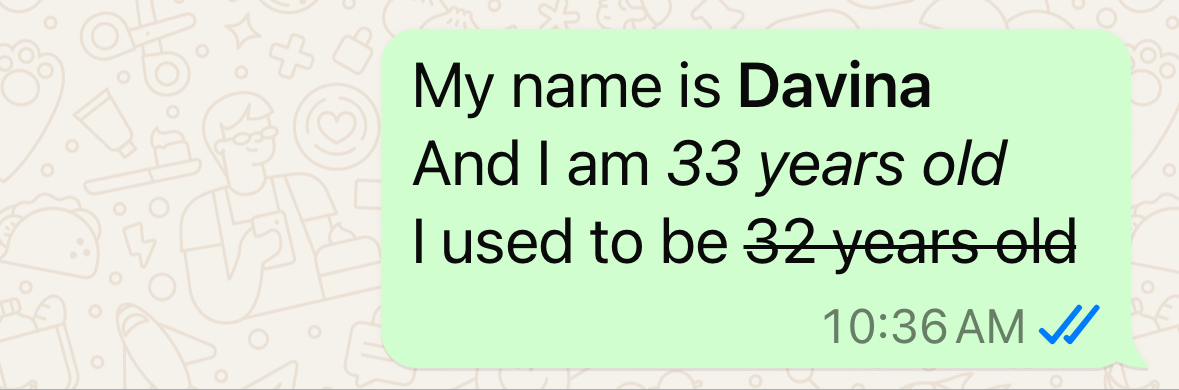
- Bold text: Makes important words jump off the screen
- Italic text: Adds subtle emphasis and style
Strikethrough text: Perfect for corrections or playful crossed-out thoughts
Pretty cool, right? And the best part? These work on both iPhone and Android!
Finding Your Special Character Arsenal 🔍
Here's where the magic happens! Those formatting characters are hiding in plain sight on your keyboard.
For iPhone Users:
Step 1: Open your keyboard in WhatsApp
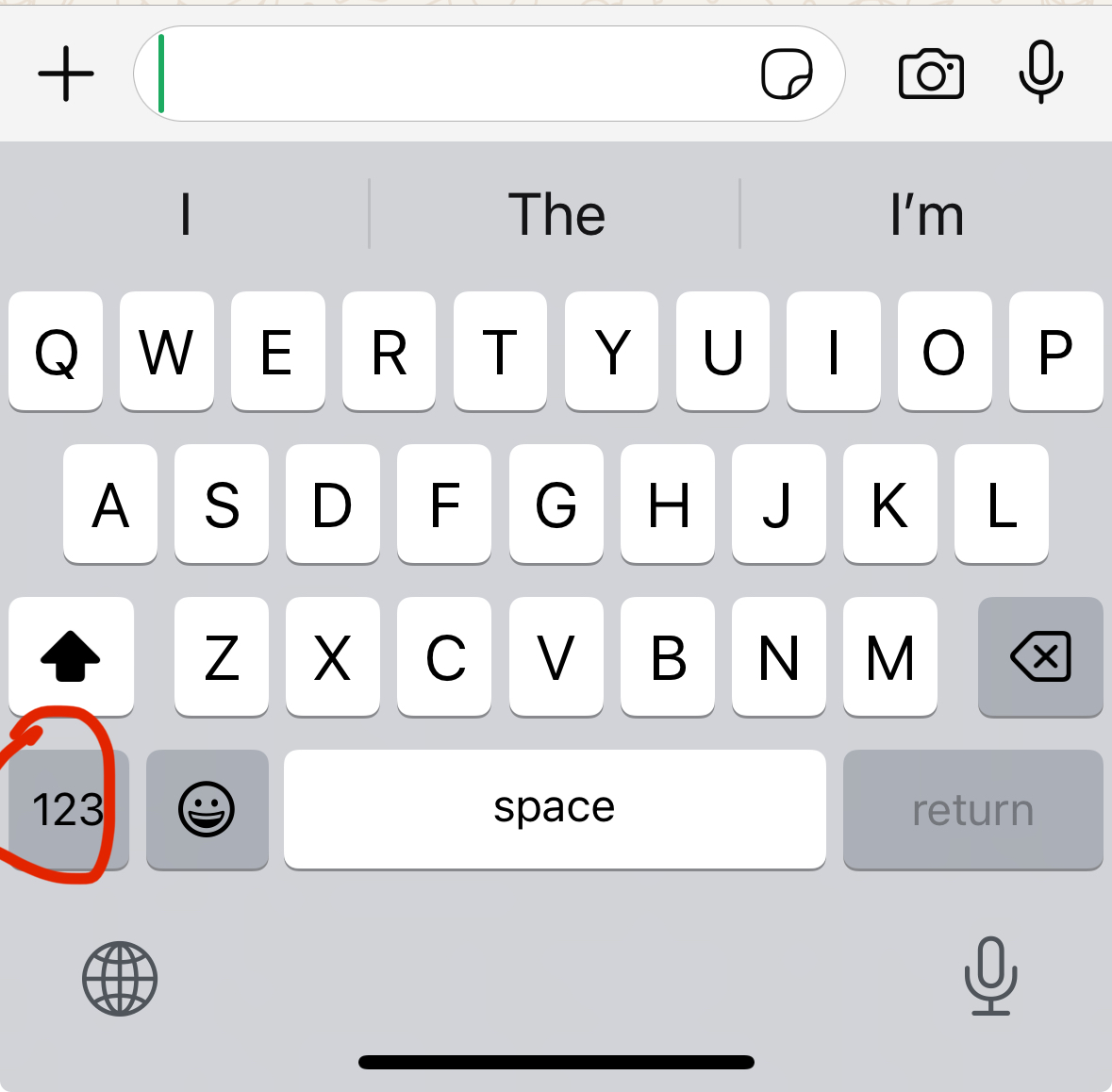
Step 2: Tap the "123" button (beside the emoji key)
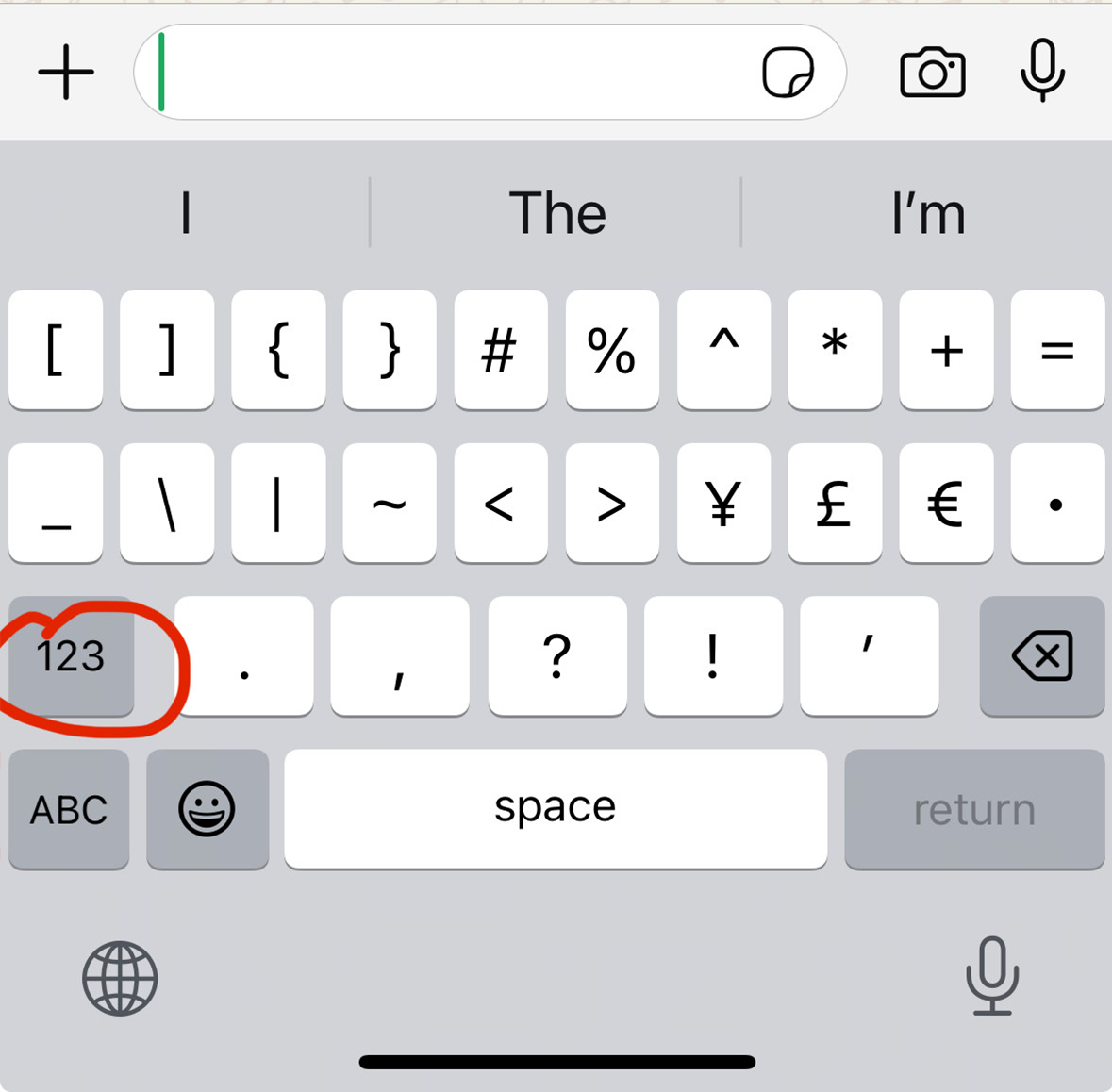
Step 3: Tap the "#+=" button (above the "ABC" key)
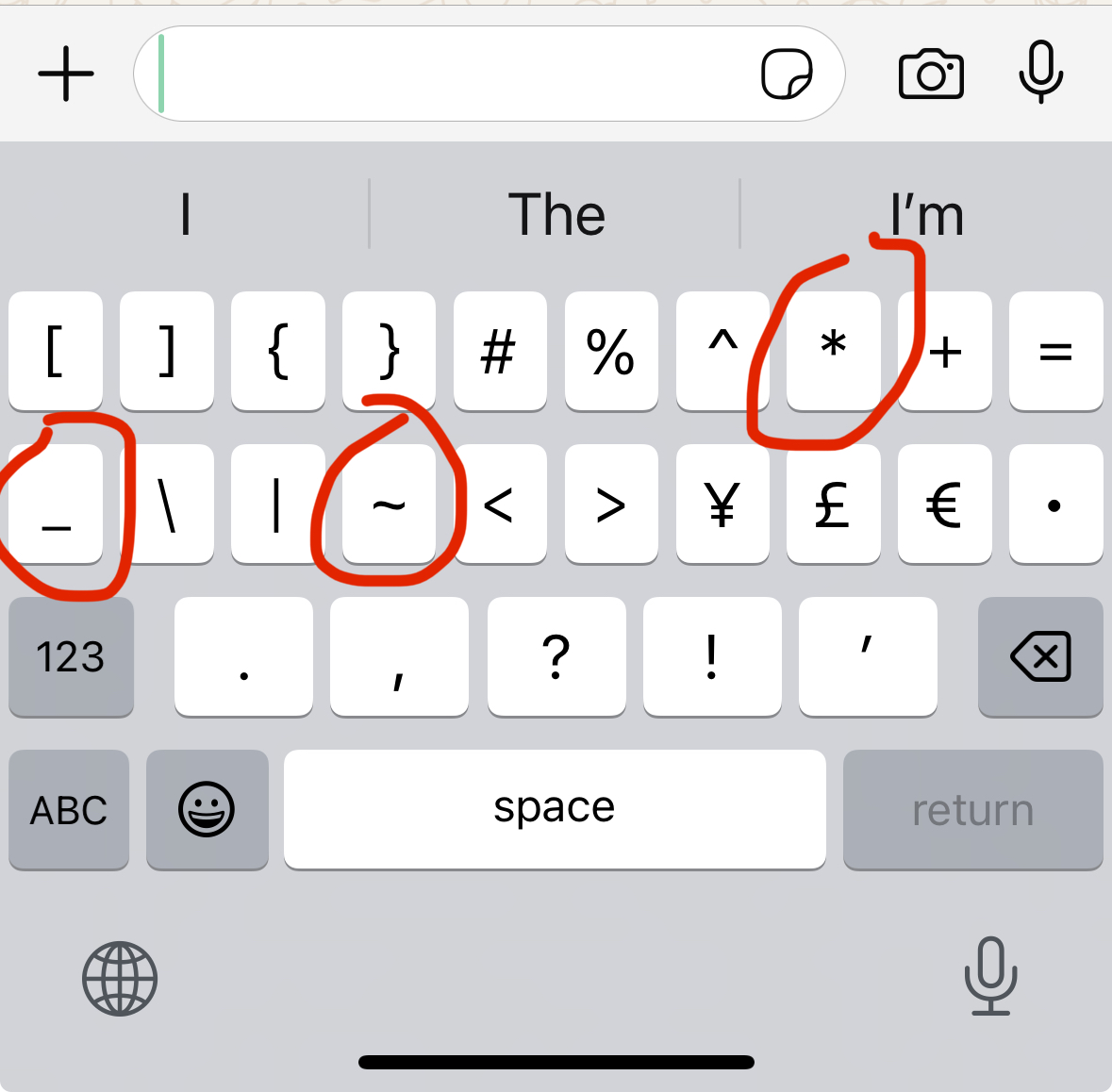
Boom! You've unlocked the special character vault! 🏦
For Android Users:
The process is similar, but keyboard layouts vary by manufacturer:
- Look for "123" or "?123" to access numbers/symbols
- Find the second tier of symbols (usually another button tap)
- Pro tip: Android friends can share their specific keyboard steps in our comments!
The Three Formatting Champions 🏆
1. Bold Text: The Attention-Grabber ⭐
The secret character: Asterisk (*)
How to use it: Wrap your text in asterisks
- Type:
I love *pizza* - Sends as: I love pizza

Perfect for: Important announcements, emphasis, making key words pop!
2. Italic Text: The Subtle Stylist ✨
The secret character: Underscore (_)
How to use it: Wrap your text in underscores
- Type:
I am _so excited_ - Sends as: I am so excited

Perfect for: Adding emotion, subtle emphasis, or a touch of elegance!
3. Strikethrough Text: The Playful Editor ❌
The secret character: Tilde (~) - The squiggly line!
How to use it: Wrap your text in tildes
- Type:
I used to be ~29 years old~ - Sends as: I used to be
29 years old

Perfect for: Corrections, playful thoughts, showing "before and after" ideas!
Pro Tips for Formatting Like a Boss 🎯
Mix and Match Magic
You can combine these formatting styles:
*Bold* and _italic_ and ~strikethrough~_*Bold italic*_ text(order matters!)
When to Use Each Style
Bold (*text*):
- Important deadlines or dates
- Key information in group chats
- Emphasis in professional messages
Italic (_text_):
- Adding emotion or mood
- Foreign words or technical terms
- Subtle emphasis without shouting
Strikethrough (~text~):
- Playful corrections
- Showing old vs. new information
- Adding humor to your messages
Quick Troubleshooting 🔧
Characters showing up instead of formatting?
- Make sure there are no spaces between the special characters and your text
- Check that you're using the correct characters (asterisk, underscore, tilde)
Not working on certain words?
- Some words with apostrophes or special characters might need extra attention
- Try formatting shorter phrases first to test
The Conversation Game-Changer 🚀
These simple tricks transform ordinary messages into engaging, expressive communication! Your friends will wonder how you became such a WhatsApp wizard, and you'll enjoy the satisfaction of perfectly formatted messages.
Imagine the possibilities:
- Group chat announcements that actually get noticed
- Playful conversations with crossed-out "mistakes"
- Professional messages that look polished and clear
- Creative storytelling with varied text styles
Time to Practice! 💪
Ready to become a WhatsApp formatting master? Start with these practice messages:
- Try:
*Attention everyone!* This is _really important_ information. - Test:
I ~hate~ LOVE pizza with pineapple! - Experiment:
Meeting at *3 PM* - _don't be late!_
The best part? Once you start using these formatting tricks, they become second nature. Your WhatsApp game will never be the same!
Go forth and format with confidence! Your conversations are about to get a major upgrade! 🌟✨